 APIsFreeLLM
Running Qwen Models Locally Without Dedicated Graphics Hardware
Running large language models on CPUs has evolved from a novelty to a practical fallback for developers who lack dedicated GPUs or prefer to keep their expensive graphics cards for other workloads. Qwen, particularly the 32B and 72B parameter variants, has become a popular choice for local deployment due to its strong multilingual capabilities and coding proficiency. However, moving these models from GPU memory to system RAM introduces specific bottlenecks that change how you interact with the model, requiring a shift in expectations regarding speed and resource usage.
The core challenge is memory bandwidth. GPUs are designed for massive parallel throughput, while CPUs rely on lower-speed RAM with higher latency. This means that while a CPU can handle the mathematical operations of a 32B model, the time it takes to fetch weights from RAM often dominates the inference process. You might see significantly reduced generation speeds compared to a GPU setup, but the output quality remains high because the underlying logic and training data are unchanged. The trade-off is speed for accessibility.
This article examines the realities of running Qwen on CPU-only hardware, from dual-Xeon servers to single-board computers. We will look at how quantization affects performance, how to configure inference engines like llama.cpp for optimal throughput, and when you should stick with a hosted API instead of local inference. Understanding these trade-offs helps you decide if local Qwen fits your workflow or if you are better off using a free, uncensored API for heavy lifting, as discussed in our guide on local versus hosted memory management.
Frequently asked questions
What is CPU-bound inference?
CPU-bound inference occurs when the central processor is the primary bottleneck during model generation, rather than memory or network latency. This happens when the CPU cannot process the matrix multiplications fast enough to keep the pipeline full, resulting in lower tokens per second. It is common with large models on systems with limited RAM bandwidth or older CPU architectures.
How does quantization affect CPU performance?
Quantization reduces the precision of the model weights, typically from 16-bit floating point to 4-bit or 8-bit integers. This reduces the amount of data that needs to be moved from RAM to the CPU cache, significantly improving speed and reducing memory usage. Lower quantization levels offer a good balance between speed and quality, while higher levels preserve more accuracy at the cost of slower inference.
Which quantization format is best for CPU-only Qwen?
Q4_K_M is generally the best balance for CPU-only inference. It retains most of the model's quality while significantly reducing memory bandwidth requirements. Q8_0 is ideal if you have ample RAM and CPU cores and prioritize accuracy over speed. Q2_K is suitable for rapid prototyping but may lose coherence in complex reasoning tasks. Always test with your specific workload.
How does CPU performance compare to GPU for Qwen?
GPUs typically offer significantly higher tokens per second due to massive parallelism and high-bandwidth memory. CPUs are slower but more accessible and energy-efficient. For coding tasks where latency is less critical than cost, CPUs are viable. For real-time chat or interactive agents, GPUs provide a smoother experience. The choice depends on whether you prioritize speed or hardware availability.
Can I run Qwen-32B on 16GB RAM?
Yes, but with limitations. A Q4 quantized 32B model requires approximately 18-20GB of RAM including context. You will need to keep the context window small or use offloading strategies. If your system has only 16GB, you might experience swapping, which drastically slows down inference. 32GB of RAM is a safer minimum for comfortable 32B model usage on CPU.
What is the role of context window in CPU inference?
The context window determines how much text the model can process in a single request. Larger contexts require more memory and increase the time for each token generation. On CPU, large contexts can lead to significant slowdowns. It is advisable to start with a smaller context and increase it only if your hardware can handle the additional memory bandwidth requirements without excessive latency.
How does llama.cpp optimize CPU inference?
llama.cpp uses several optimizations, including GGUF format for efficient storage, SIMD instructions for vectorized math, and flexible offloading to split layers between CPU and GPU. It also supports multi-threading to utilize all available CPU cores. These optimizations allow it to run large models efficiently on consumer hardware, making it a popular choice for local Qwen deployment.
When should I use a hosted API instead of local CPU?
Use a hosted API when you need low latency, high throughput, or large context windows that exceed your local hardware's capabilities. Hosted APIs also handle scaling and maintenance. Local CPU inference is better for privacy, offline use, or when you have idle hardware. If you need real-time responses for interactive applications, a hosted API is often more reliable than a CPU-only setup.
Understanding CPU-Only Inference Bottlenecks
When you move a model like Qwen from a GPU to a CPU, the primary constraint shifts from compute to memory bandwidth. GPUs have memory bandwidths that can exceed one terabyte per second, while even high-end desktop CPUs typically offer much lower rates, often around fifty to one hundred gigabytes per second. This difference means that the CPU spends a significant portion of its time waiting for data rather than processing it. The result is lower tokens per second, but the model's output quality remains largely intact because the mathematical operations are still performed correctly.
Another factor is cache efficiency. CPUs have small, fast caches that can hold only a small portion of the model's weights. When the CPU requests data that isn't in cache, it must fetch it from RAM, which introduces latency. Quantization helps by reducing the size of the weights, allowing more of the model to fit into the cache, thereby improving performance. This is why quantized models often run faster on CPUs than their full-precision counterparts, despite representing the same underlying logic. For more details on managing these resources, see our guide on local versus hosted memory.
Memory Bandwidth vs. Compute Power
Memory bandwidth is the rate at which data can be read from or written to memory. In CPU inference, this is often the limiting factor. Higher bandwidth allows the CPU to process more tokens per second. Upgrading to faster RAM or using CPUs with integrated memory controllers that support higher speeds can improve performance. You can measure this by running a simple benchmark with a fixed prompt and measuring the time to generate a set number of tokens.
Cache Misses and Latency
Cache misses occur when the CPU cannot find the required data in its fast cache and must fetch it from slower RAM. This introduces latency that slows down inference. Efficient memory layouts and quantization can reduce the frequency of cache misses, improving overall performance. Monitoring cache hit rates can help you understand if your CPU is struggling to keep up with the model's demands.
Quantization Strategies for Qwen
Quantization is the process of reducing the numerical precision of the model's weights. For Qwen models, this typically means converting 16-bit floating-point weights to 4-bit or 8-bit integers. This reduces the model size and memory bandwidth requirements, making it feasible to run larger models on CPU-only hardware. The trade-off is a slight loss in accuracy, which is often negligible for most applications. For a deeper dive into uncensored models, see our guide on uncensored chatbots.
The GGUF format, used by llama.cpp, supports various quantization levels. Q4_K_M is a popular choice because it offers a good balance between speed and quality. Q8_0 provides higher accuracy but requires more memory and bandwidth. Q2_K is the most compressed but may lose coherence in complex tasks. Choosing the right quantization depends on your specific use case and hardware capabilities. Testing different levels with your specific prompts is the best way to find the optimal balance.
Q4_K_M vs. Q8_0
Q4_K_M reduces memory usage significantly compared to Q8_0, leading to faster inference. However, Q8_0 preserves more of the model's original quality. For coding tasks, Q4_K_M is often sufficient, while Q8_0 might be preferred for nuanced reasoning. The difference in quality is often subtle, but the difference in speed can be substantial.
Impact on Output Quality
Quantization can affect the model's ability to generate coherent text, especially in low-bit formats. Q2_K may produce more errors in complex reasoning or code generation. It is recommended to test different quantization levels with your specific prompts to find the optimal balance. You can compare outputs side-by-side to see if the loss in quality is acceptable for your use case.
Hardware Requirements and Recommendations
Running Qwen models on CPU requires sufficient RAM and CPU cores. A 32B model in Q4 quantization requires approximately 18-20GB of RAM. If your system has less memory, you may experience swapping, which drastically slows down performance. For a 72B model, you will need at least 40GB of RAM for Q4 quantization. Ensure that your CPU has enough cores to handle multi-threading, which can improve inference speed. For more on minimal footprint models, see our guide on lightweight options.
Modern CPUs with support for AVX-512 instructions can significantly boost performance. These instructions allow the CPU to process more data in parallel, improving throughput. If you are using an older CPU, you may see slower performance. Additionally, using SSDs for model storage can reduce loading times, although it does not affect inference speed directly. The key is to ensure that your hardware can keep up with the data flow required by the model.
Minimum RAM Requirements
For a 32B model, 32GB of RAM is recommended for comfortable use. 16GB may work but requires careful management of context windows. For 72B models, 64GB or more is ideal to avoid swapping and ensure smooth performance. Swapping to disk can reduce performance by an order of magnitude, so having enough RAM is critical.
CPU Core Count and Speed
More CPU cores allow for better multi-threading, which can improve inference speed. However, there is a point of diminishing returns. Typically, 8-16 cores are sufficient for most Qwen models. Faster clock speeds can also improve performance, especially for single-threaded tasks. The ideal configuration depends on the specific model size and quantization level.
Inference Engines: llama.cpp and Alternatives
llama.cpp is the most popular engine for running Qwen models on CPU. It is highly optimized for CPU inference, supporting various quantization formats and multi-threading. It also allows flexible offloading, where some layers are processed on CPU and others on GPU if available. This flexibility makes it a versatile choice for hybrid setups. For a comparison of forks, see our guide on llama.cpp forks.
Other options include Ollama and LM Studio, which provide user-friendly interfaces for managing local models. Ollama simplifies the process of downloading and running models, while LM Studio offers a graphical interface for experimenting with different settings. Both tools are built on top of llama.cpp, so they share similar performance characteristics. The choice often comes down to user preference for interface versus control.
Why Choose llama.cpp?
llama.cpp is lightweight, fast, and highly configurable. It supports a wide range of models and quantization formats, making it ideal for CPU-only inference. Its command-line interface allows for fine-tuning parameters, which is useful for advanced users who want to squeeze out every bit of performance.
User-Friendly Alternatives
Ollama and LM Studio provide easier setup and management for less technical users. They abstract away the command-line complexity, making it easier to experiment with different models and settings. However, they may offer less granular control compared to llama.cpp. For Android users, see our guide on SillyTavern.

Performance Benchmarks and Expectations
Performance varies significantly depending on the CPU model, RAM speed, and quantization level. On a modern desktop CPU, a Q4 quantized 32B model might achieve a moderate number of tokens per second. On older servers, this could drop to a lower rate. These numbers are for generation speed, not tokenization or API overhead. To measure this, run a simple script that times the generation of a fixed-length response.
It is important to set realistic expectations. CPU inference is slower than GPU inference, but it is still usable for many tasks. For coding assistance, a delay of a few seconds per token is acceptable. For real-time chat, it may feel sluggish. Testing your specific hardware with your intended workload is the best way to determine if CPU-only inference is feasible for your needs. You can also compare local performance with hosted APIs to see if the speed difference is significant for your use case.
Tokens Per Second on CPU
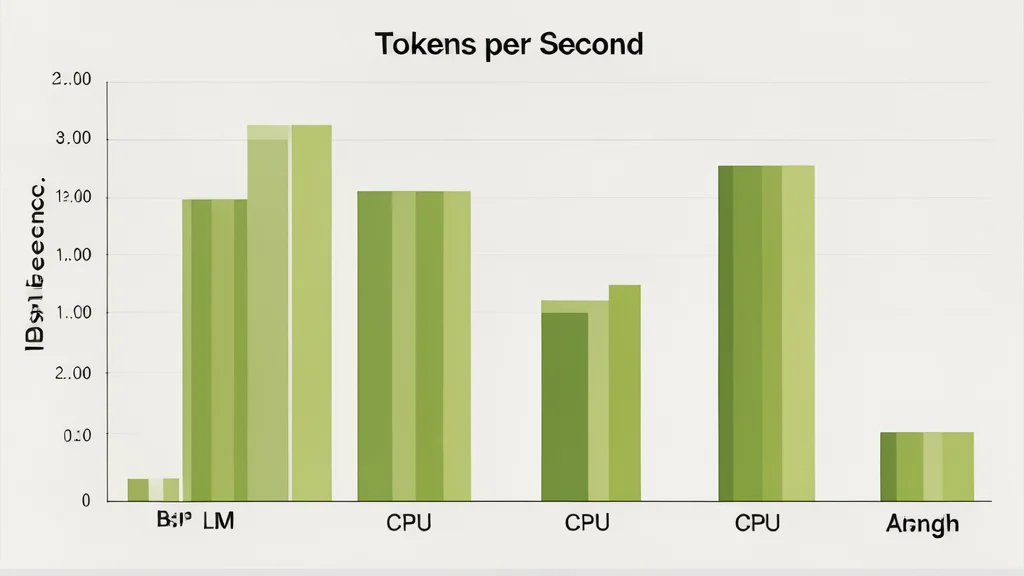
Tokens per second (TPS) is a key metric for CPU inference. Higher TPS indicates better performance. Factors like CPU cores, RAM speed, and quantization level all affect TPS. Testing with different configurations can help you find the optimal balance. A simple way to measure this is to time the generation of a standard prompt and divide the number of tokens by the time taken.
Latency vs. Throughput
Latency refers to the time between sending a prompt and receiving the first token. Throughput is the rate of token generation. CPU inference often has higher latency but acceptable throughput. For interactive applications, low latency is crucial, while for batch processing, throughput is more important. Understanding this distinction helps you choose the right setup for your needs.
Coding and General Task Performance
Qwen models are known for their strong coding capabilities. On CPU, they can still generate code effectively, though the speed may be slower. For tab completion or code suggestion, the delay might be noticeable but not prohibitive. The model's ability to understand context and generate coherent code remains intact, making it a viable tool for developers. For more on automation, see our guide on n8n workflows.
For general tasks like summarization or question answering, CPU inference is also feasible. The slower speed may make interactive conversations feel less fluid, but the quality of the responses is comparable to GPU inference. If you are using the model for batch processing or background tasks, CPU inference is a cost-effective solution. The key is to match the hardware capabilities with the task requirements.
Code Generation on CPU
Qwen models can generate code efficiently on CPU, especially with quantization. The speed may be slower, but the output quality is high. For coding assistants, this makes CPU inference a viable option for developers who do not have access to GPUs. You can test this by asking the model to generate a complex function and evaluating its correctness and style.
General Task Efficiency
For tasks like summarization or translation, CPU inference is efficient. The model can process large contexts, though this may require more memory. For interactive use, the slower speed may be a drawback, but for batch processing, it is a good option. The trade-off between speed and quality is minimal for many general tasks.
Local vs. Hosted: Making the Choice
Deciding between local CPU inference and a hosted API depends on your priorities. Local inference offers privacy, offline use, and no per-token costs. However, it requires upfront hardware investment and may be slower. Hosted APIs offer scalability, low latency, and no hardware management, but come with ongoing costs and potential privacy concerns. For a comparison of uncensored options, see our guide on censorship solutions.
For many developers, a hybrid approach is best. Use local inference for privacy-sensitive tasks or when you have idle hardware. Use hosted APIs for high-load scenarios or when you need low latency. This allows you to balance cost, performance, and privacy effectively. You can also use a hosted API to test models before committing to local deployment, as suggested in our guide on testing hosted APIs.
Privacy and Data Control
Local inference keeps your data on your machine, reducing the risk of data leakage. This is important for sensitive information. Hosted APIs may store data for training or analytics, depending on their policy. Consider your privacy needs when choosing. For more on reasoning settings, see our guide on Qwen reasoning.
Cost and Scalability
Local inference has a fixed cost (hardware) but no ongoing fees. Hosted APIs charge per token or request, which can add up with high usage. For sporadic use, local inference may be cheaper. For consistent high volume, hosted APIs may be more cost-effective. Calculate your total cost of ownership over time to make an informed decision.
Optimization Tips for CPU Inference
To optimize CPU inference, start by using the correct quantization level. Q4_K_M is a good starting point. Ensure that your CPU supports AVX-512 instructions if available, as this can significantly boost performance. Use multi-threading to utilize all available cores, but avoid overloading the CPU, which can lead to thermal throttling. For more on Apple Neural Engine, see our guide on efficient local inference.
Another tip is to manage your context window carefully. Larger contexts require more memory and can slow down inference. Start with a smaller context and increase it only if necessary. Also, consider using offloading strategies to split the model between CPU and GPU if you have a hybrid setup. Regularly updating your inference engine can also provide performance improvements as new optimizations are added.
Thermal Throttling
High CPU usage can lead to thermal throttling, which reduces performance. Ensure that your system has adequate cooling. Monitoring CPU temperatures can help you identify throttling issues and adjust your workload accordingly. This is especially important for long-running inference tasks.
Context Window Management
Larger context windows require more memory and can slow down inference. Start with a small context and increase it gradually. This helps you find the optimal balance between memory usage and performance. You can also use techniques like sliding windows to manage long contexts efficiently.

Test a hosted free uncensored LLM before you download anything and see how it handles your most demanding prompts.
Home →